
12. Collaborator Listing & Detail Page
A collaborator only needs to be created once in the CMS. The same Collaborator entry feeds both the collaborator listing and the individual collaborator detail page, and can then be linked directly to Sessions.
Best practice: create the Collaborator entry before creating the Session. Once the collaborator exists in the Collaborator collection, they can be selected directly within the Session instead of entering their information again.
12.1 Create the Collaborator Entry
Go to Content Manager → Collaborator and select Create new entry.
Complete the collaborator's core information:
- Name - the collaborator's name and the basis of their detail-page URL.
- Role - their designation, role or organisation line.
- Portrait - upload a 1080 × 1080 px square image. Strapi does not apply a visual treatment to collaborator portraits, so prepare the image before uploading it. If a greyscale portrait is required, convert it to greyscale first and then upload the treated file.
- Blurb - the collaborator biography or profile copy.
- Page Shell - keep this set to Primary.
Collaborator Image
| Image field | Upload dimensions | Aspect ratio | Guidance |
|---|---|---|---|
| Collaborator portrait | 1080 × 1080 px | 1:1 | Use a square portrait. No automatic visual treatment is applied by Strapi. If greyscale is required, convert the image to greyscale before uploading. |
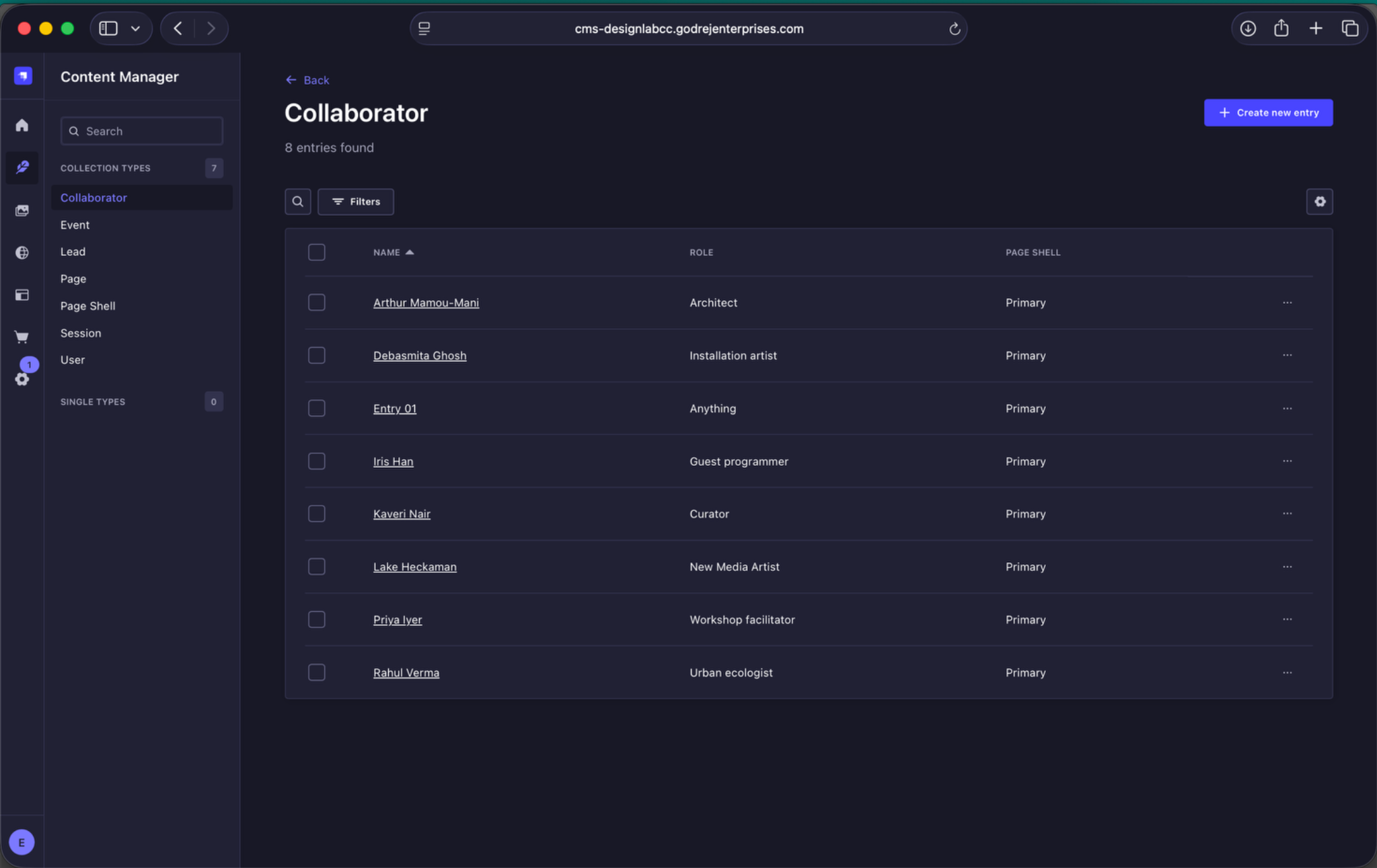
Collaborator collection. Create and maintain collaborator profiles here. Once a collaborator exists in this collection, the same entry can be reused across Sessions and collaborator listings.
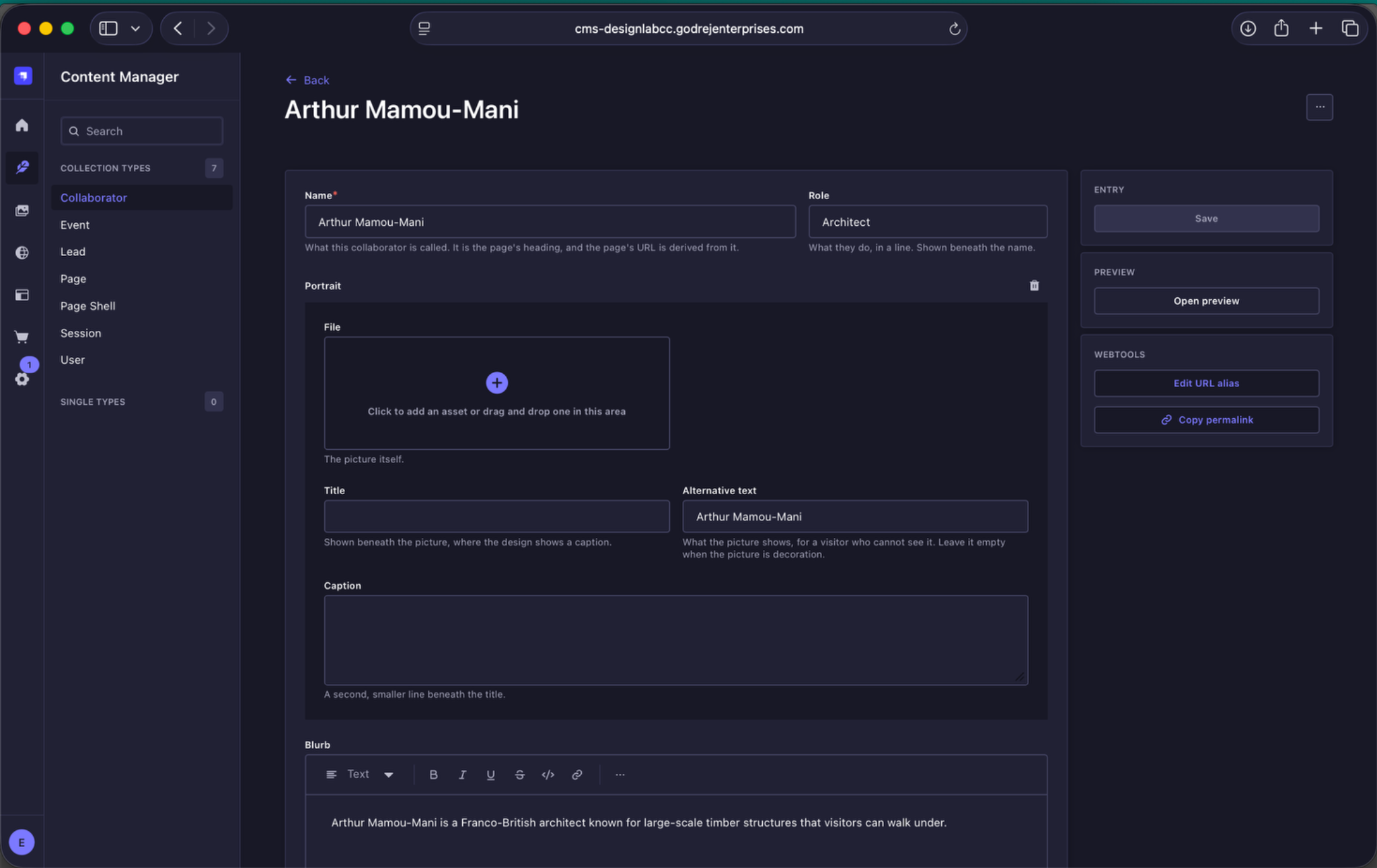
Collaborator entry setup. Enter the collaborator's name, role, portrait and blurb once. This single entry supplies the collaborator information used across the website.
12.2 Where the Information Appears
| Collaborator Listing Page | Name and designation / role |
| Session Page | Name and designation / role for collaborators linked to that Session |
| Collaborator Detail Page | Name, designation / role, portrait and blurb |
There is no separate content entry to create for the detail page. The collaborator detail page is generated from the same Collaborator entry.
12.3 Link Collaborators to Sessions
When populating a Session, select the correct collaborator from the existing Collaborators relation. Because the collaborator profile has already been created in the Collaborator collection, there is no need to re-enter their name, role, portrait or biography.
If the collaborator should also appear within the Session's page content, use the Collaborator Listing content block in the Session Main Region and select the relevant collaborator entries there.
Maintain collaborator information in the Collaborator collection as the single source of truth, then link those existing profiles wherever they need to appear.