
18. Page Shell
A Page Shell controls the shared site-wide elements that wrap individual pages. In simple terms, the Page holds the page-specific content, while the Page Shell holds common elements used across multiple pages.
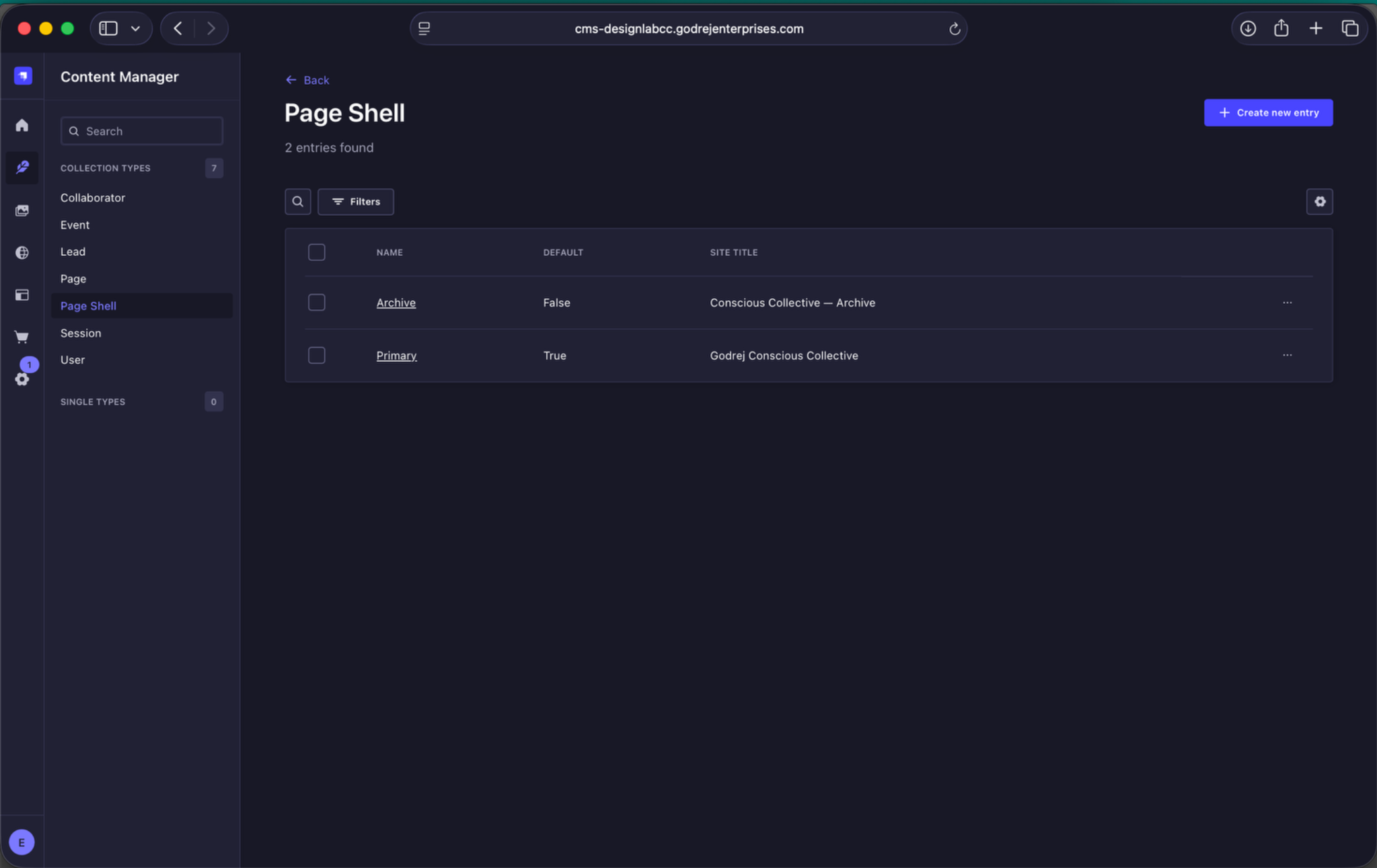
Page Shell listing. The CMS currently contains two Page Shells: Archive and Primary. Primary is the default shell.
18.1 Primary Page Shell
For most pages, use the Primary Page Shell. It is marked as the default shell, which means new entries can inherit it automatically unless another shell is assigned.
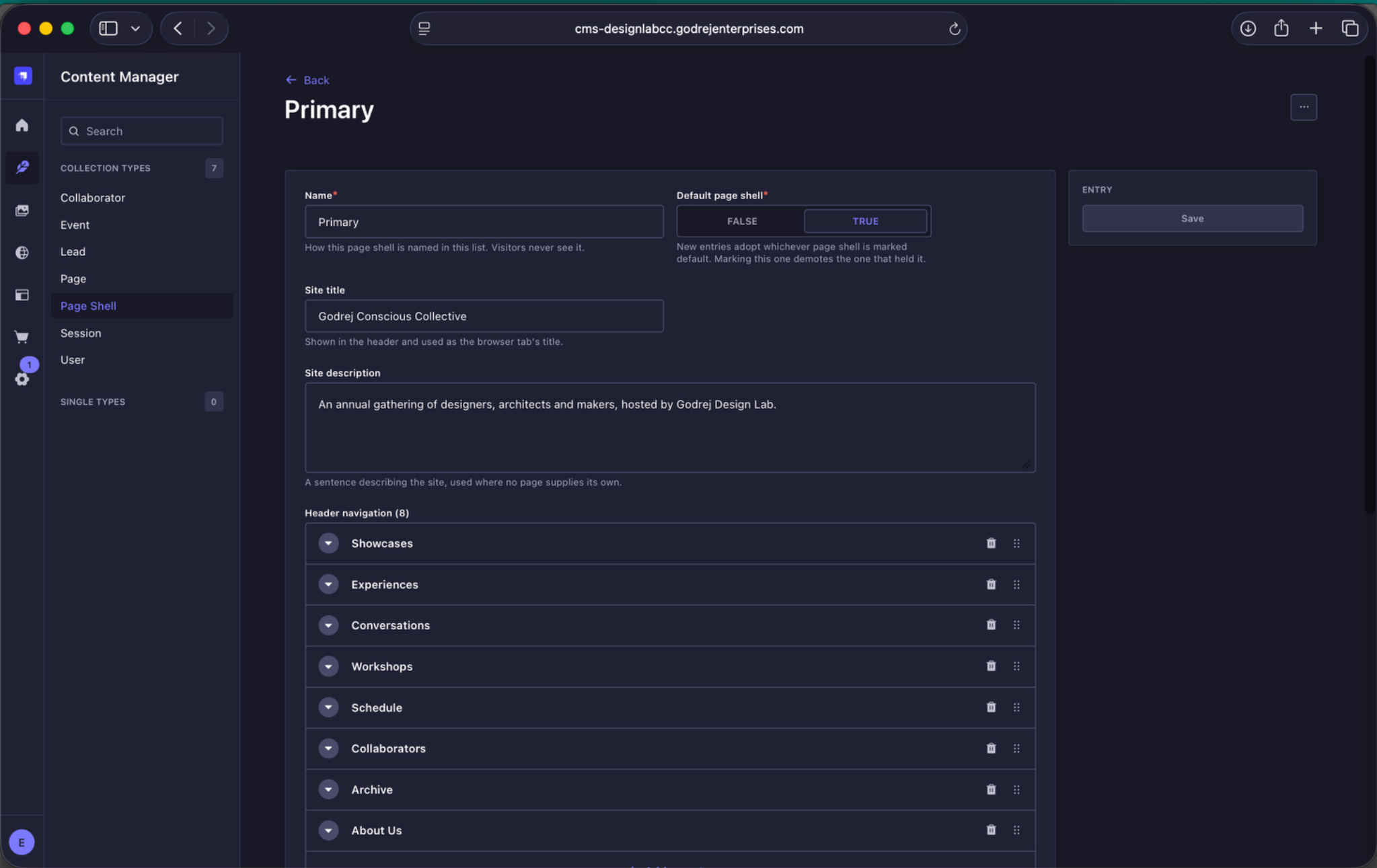
Primary Page Shell. The Primary shell contains the site title, site description and header navigation.
The Primary Page Shell currently controls:
- Site title - Godrej Conscious Collective.
- Site description - the default site description used where a page does not provide its own.
- Header navigation - the main navigation links shown across the website.
- Footer navigation - shared links displayed in the footer.
- Registration form slideshow - the images that cycle beside the RSVP / registration form.
Header navigation
The current navigation order is:
- Showcases
- Experiences
- Conversations
- Workshops
- Schedule
- Collaborators
- Archive
- About Us
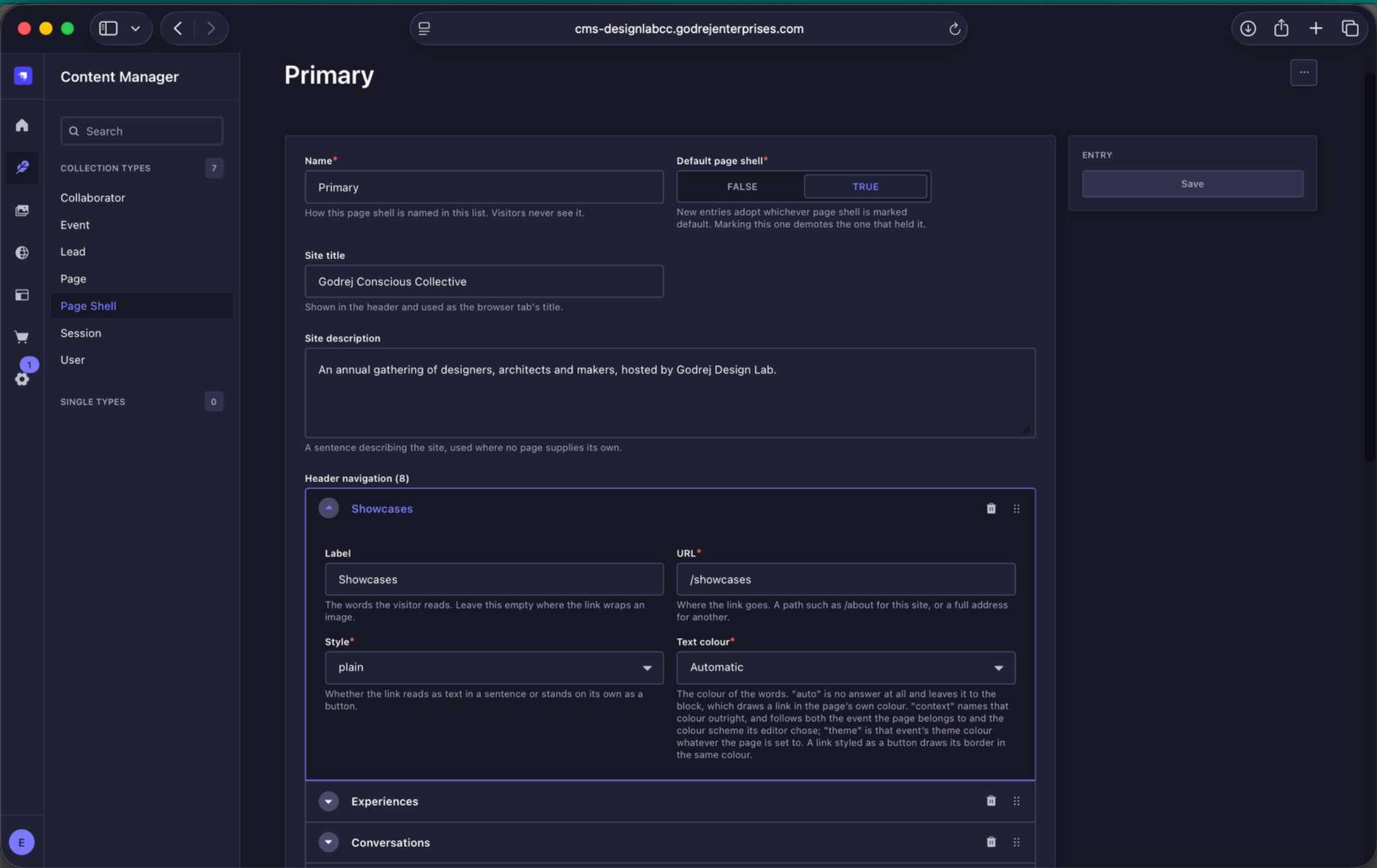
Navigation item fields. Each item has a label, URL, link style and text-colour setting.
Keep the navigation order consistent with the website design. Although items can technically be reordered in Strapi, do not change the sequence unless the website navigation itself is intentionally being redesigned.
Footer navigation
The footer currently contains three links:
- godrejenterprises.com
- Privacy Policy
- Legal Disclaimer
Registration form slideshow
The Registration form slideshow contains the images shown beside the registration form. Replace or add images here when the slideshow imagery needs to change.
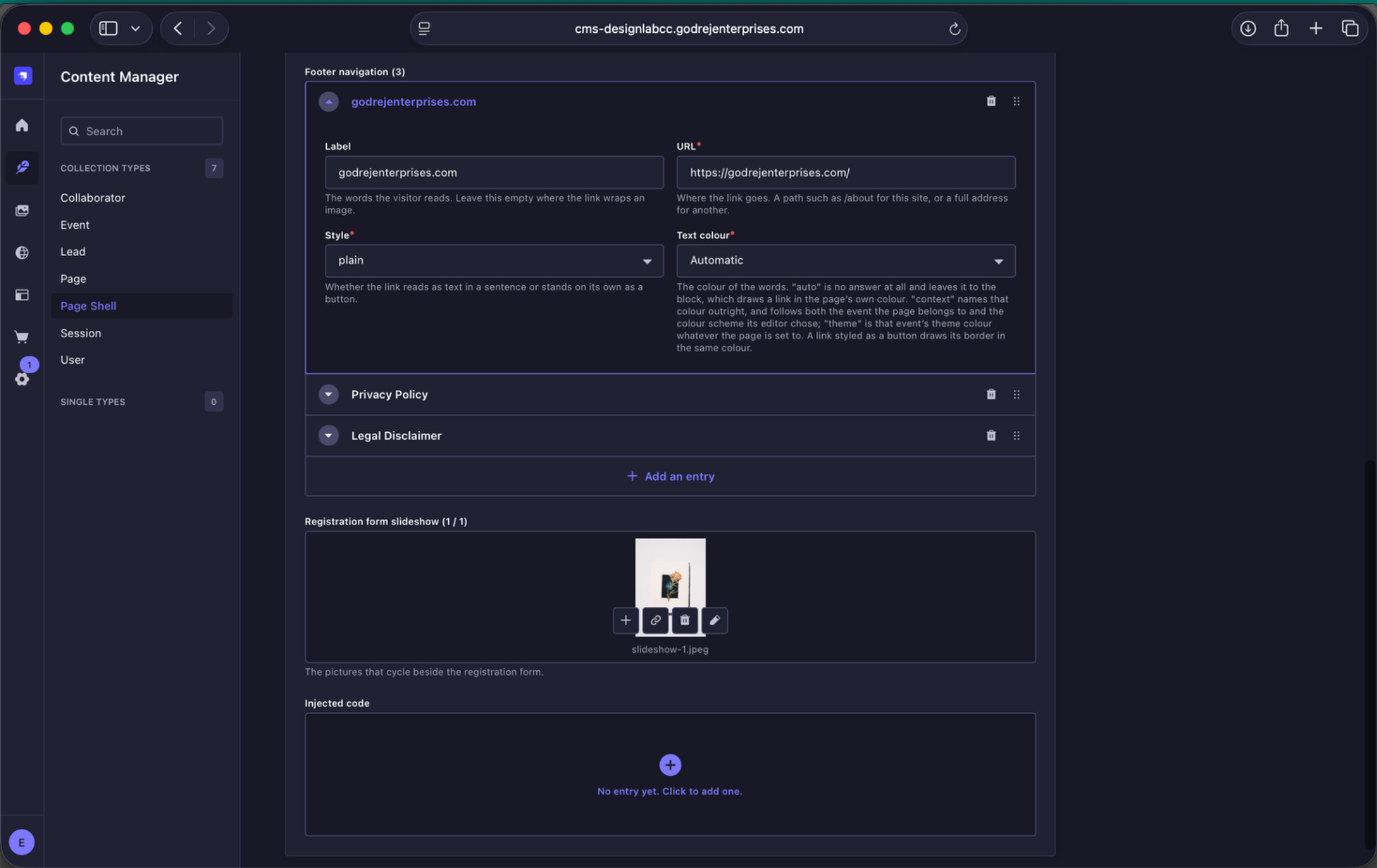
Footer navigation and registration slideshow. The same Page Shell also contains the footer links and slideshow media used beside the registration form.
Injected code
An Injected code field is also present in the Page Shell. This is a technical field and should be left untouched by content editors unless specifically instructed by the development team.
18.2 Archive Page Shell
The CMS also contains a separate Archive Page Shell. It is not the default shell. Pages that have already been configured to use it should retain that relationship unless the development team specifically changes the archive experience.
Default rule: use the Primary Page Shell for normal site pages and do not casually change Page Shell relationships.